AI Assistant Design
Designed AI assistant features that improved internal support workflows, resulting in +65% uploads, 55% prompt conversion.
Timeline
2024 - 2 weeks
Team
Product Designer: Me Developer: CEO
MY RoLE
Led the UX redesign of the Content Management system, focusing on fixing adoption and scalability issues.
Worked directly with the CEO to align business goals and define core use cases for the AI Assistant.
Redesigned system-level flows.
Validated impact post-launch.

Overview
I led the UX redesign of the Content Management system for an internal AI Assistant at imBee.
Content Management is where teams upload, organize, and maintain internal documents, such as training materials, client guidelines, and internal knowledge. These documents directly power the AI’s answers.
If this system fails, the AI becomes unusable.
Although the AI Assistant had already launched, adoption was extremely low. Users dropped off at the very first step, uploading content. My role was to rebuild this foundation so the AI could actually be used at scale.
Challenge
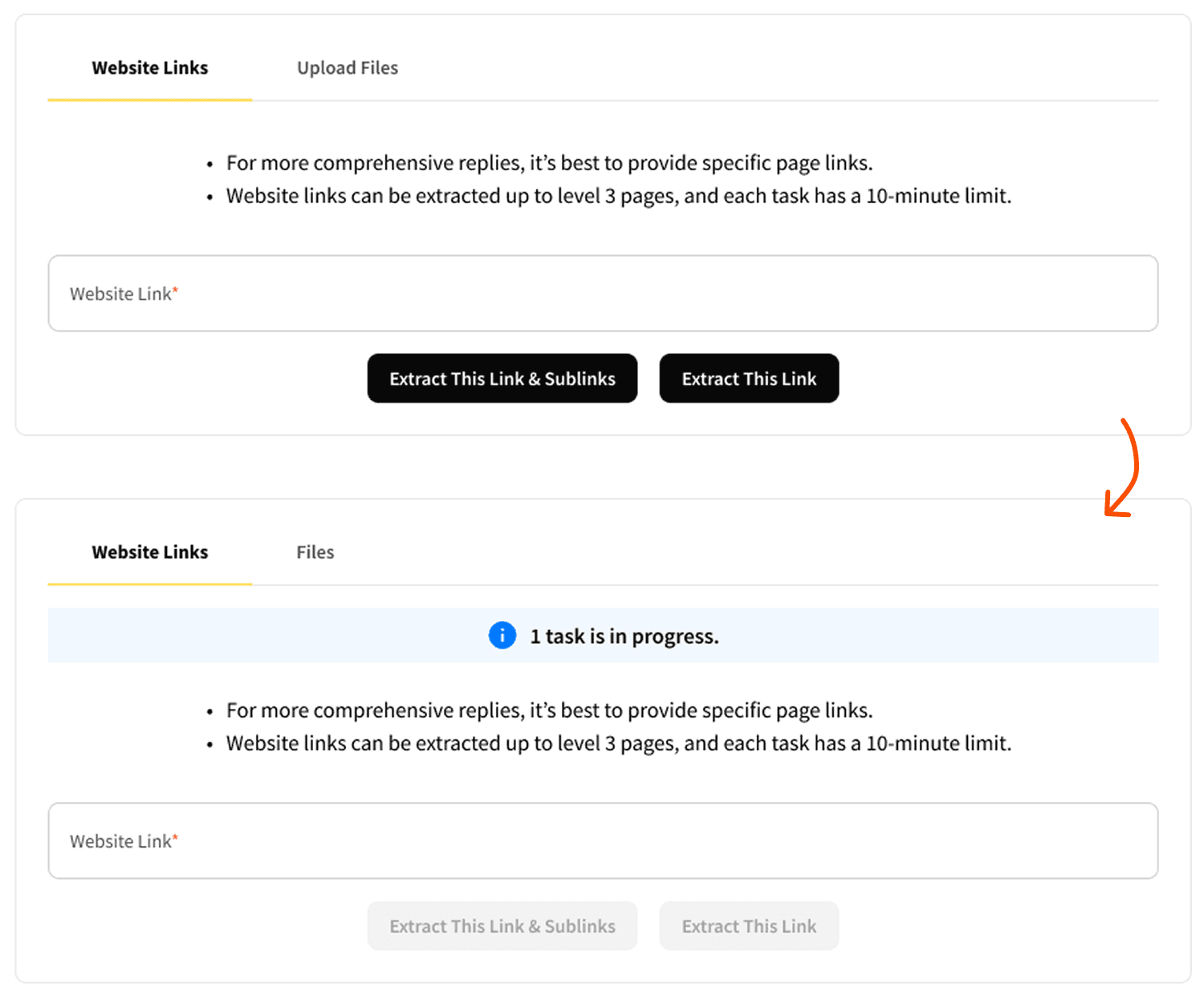
The AI failed before users even reached its core value.
- Users could upload only one file at a time
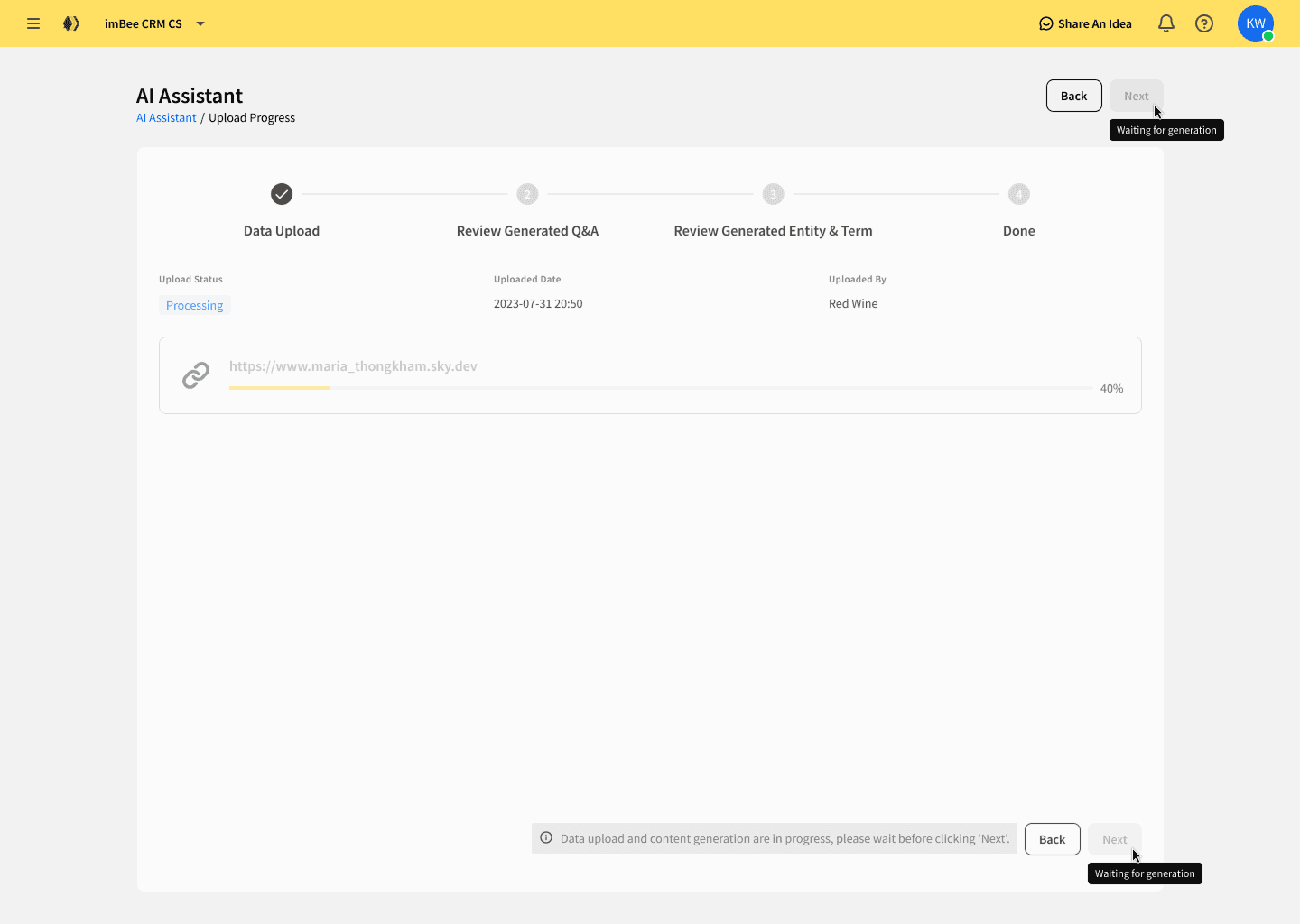
- Upload speed depended on AI processing, causing long waits
- There was no progress feedback, users had no idea how long to wait
- The layout was designed for a simple upload task and could not scale into a knowledge management system
Constraints:
No direct access to external users, tight delivery timelines, and only existing UI components could be used.
Discovery
I aligned closely with the CEO to clarify three business goals:
- Reduce training and support costs
- Help teams self-serve internal knowledge
- Validate whether an AI-first internal support model could work
Since I could not conduct external user research, I partnered with Marketing and Customer Support teams, using their daily workflows and real client interactions as primary insight sources. I also benchmarked AI tools like ChatGPT, Copilot, and Poe, focusing on file ingestion, system feedback, and perceived performance.
Key insight:
Adoption failed not because users rejected AI, but because the system made it difficult to feed knowledge into it. The upload flow was tightly coupled, opaque, and structurally fragile.
Solution
I redesigned Content Management around scalability, speed, and user control.
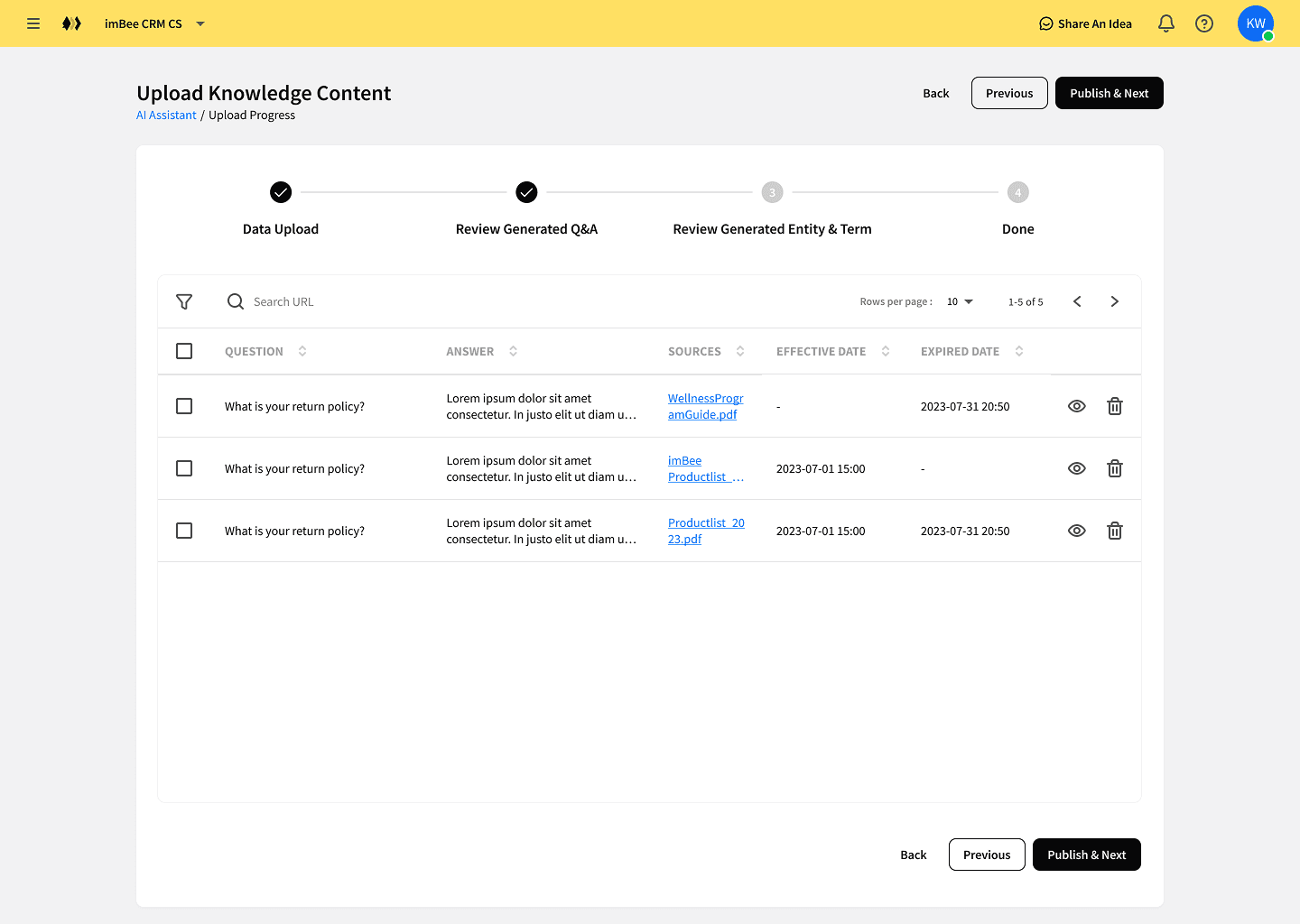
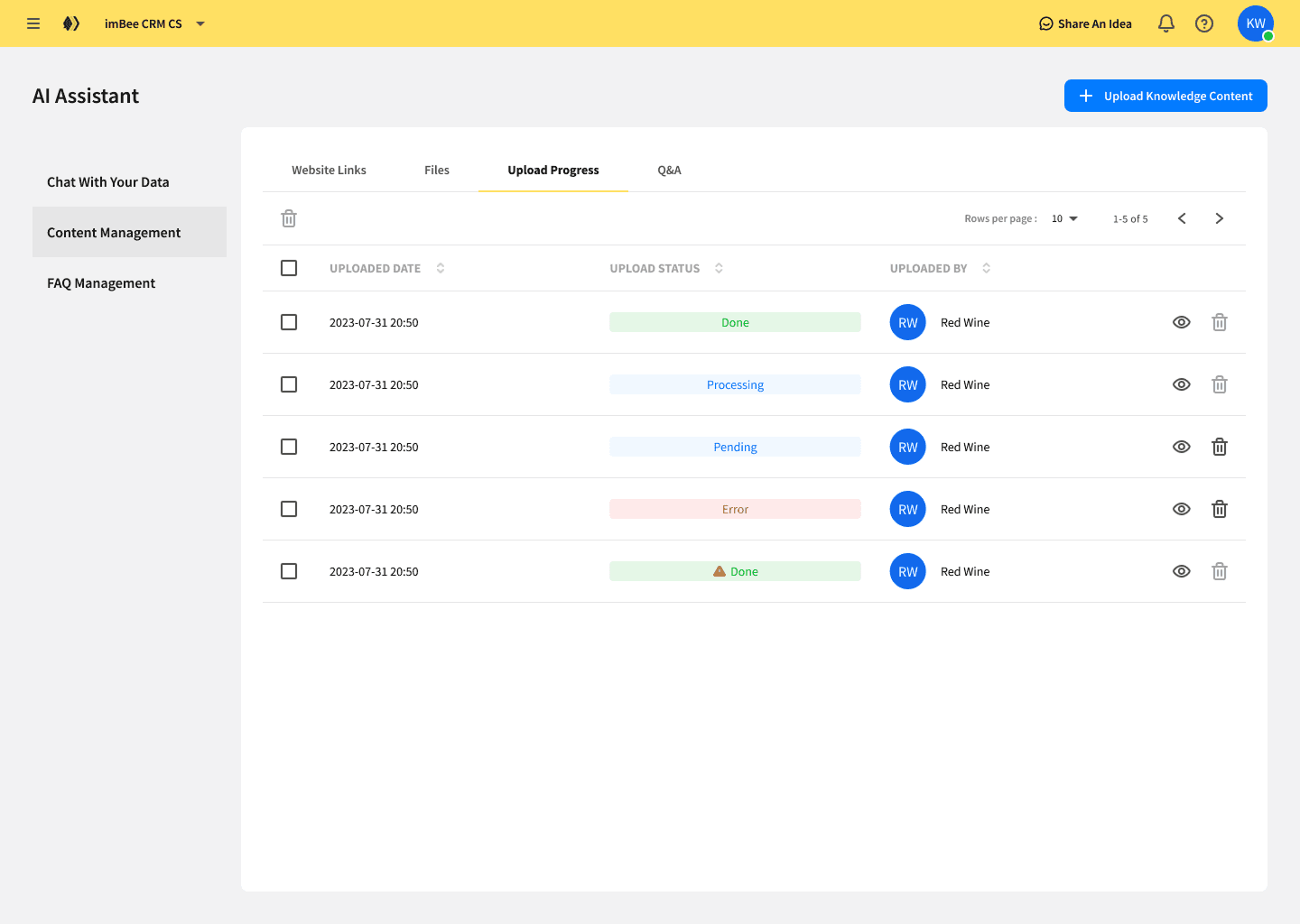
Rebuilt the layout into a side-navigation structure with tabbed data views, creating a scalable foundation for future features
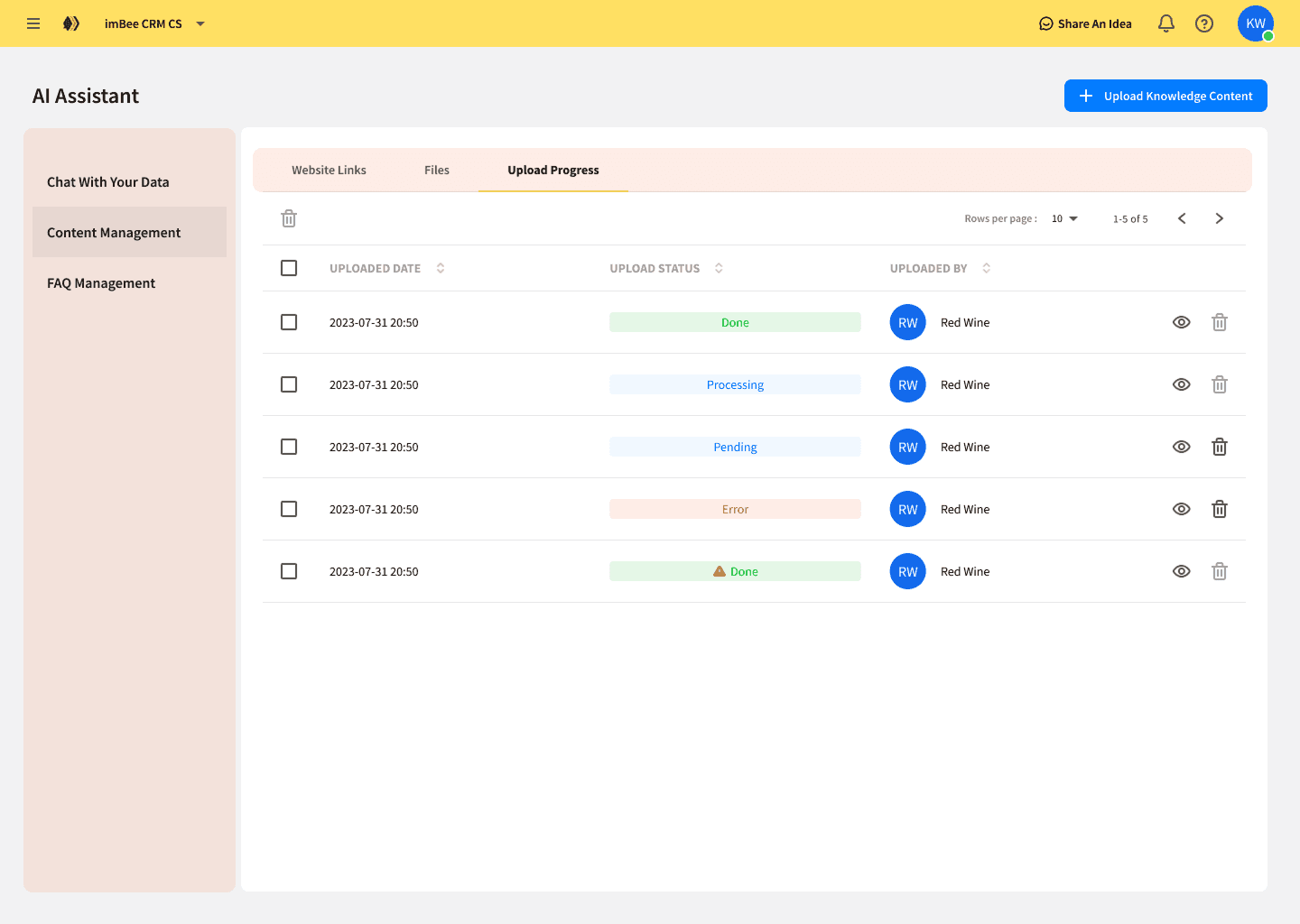
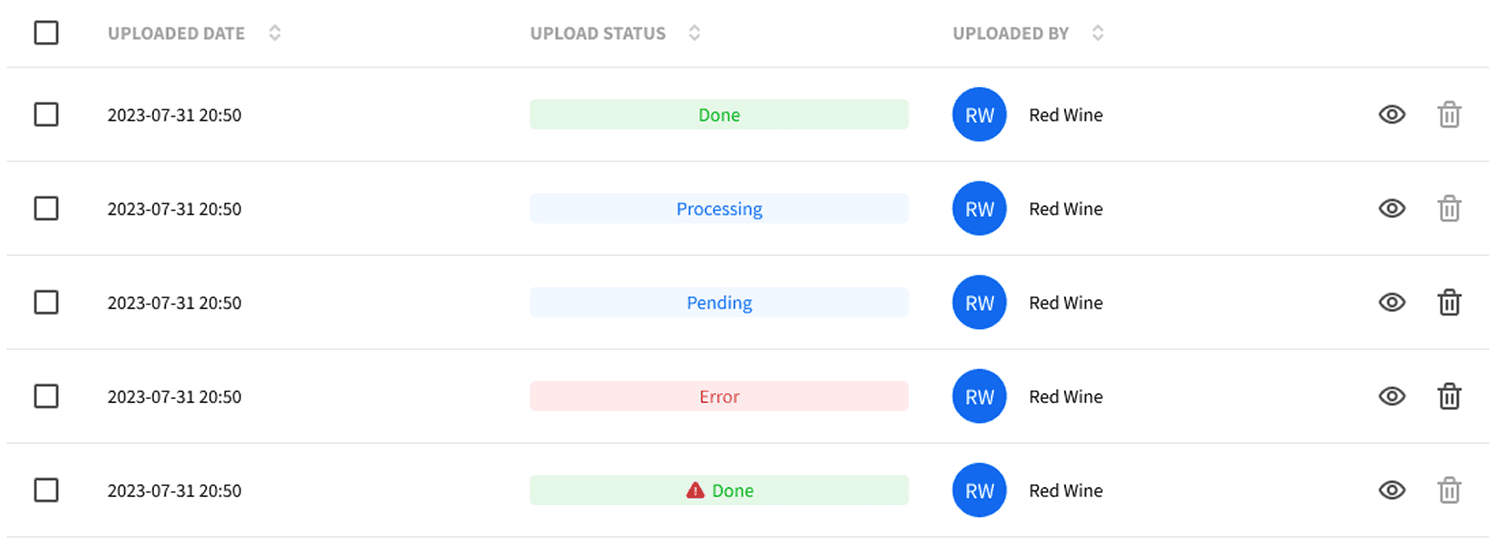
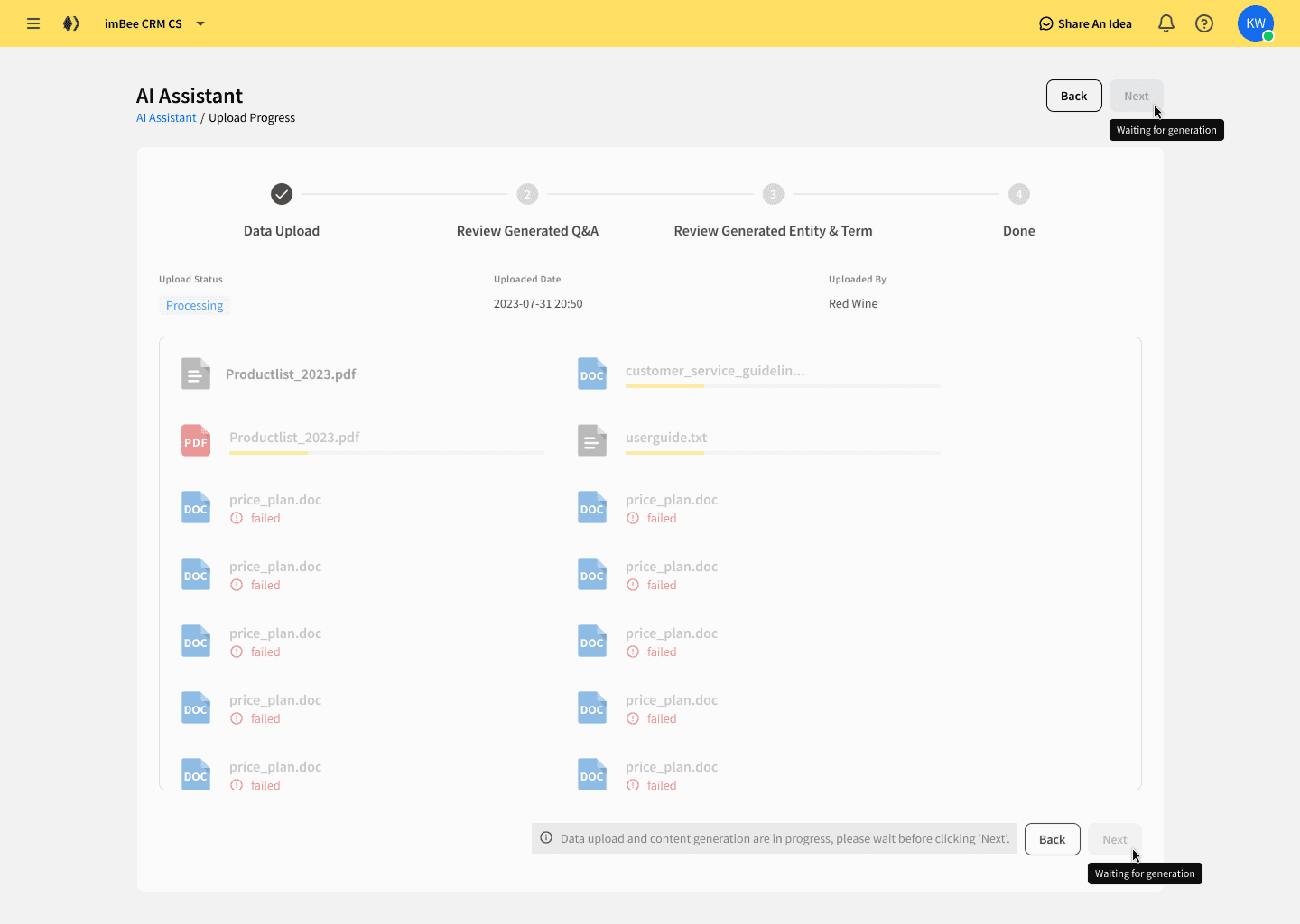
Decoupled file uploads from AI processing, allowing users to upload multiple files in parallel
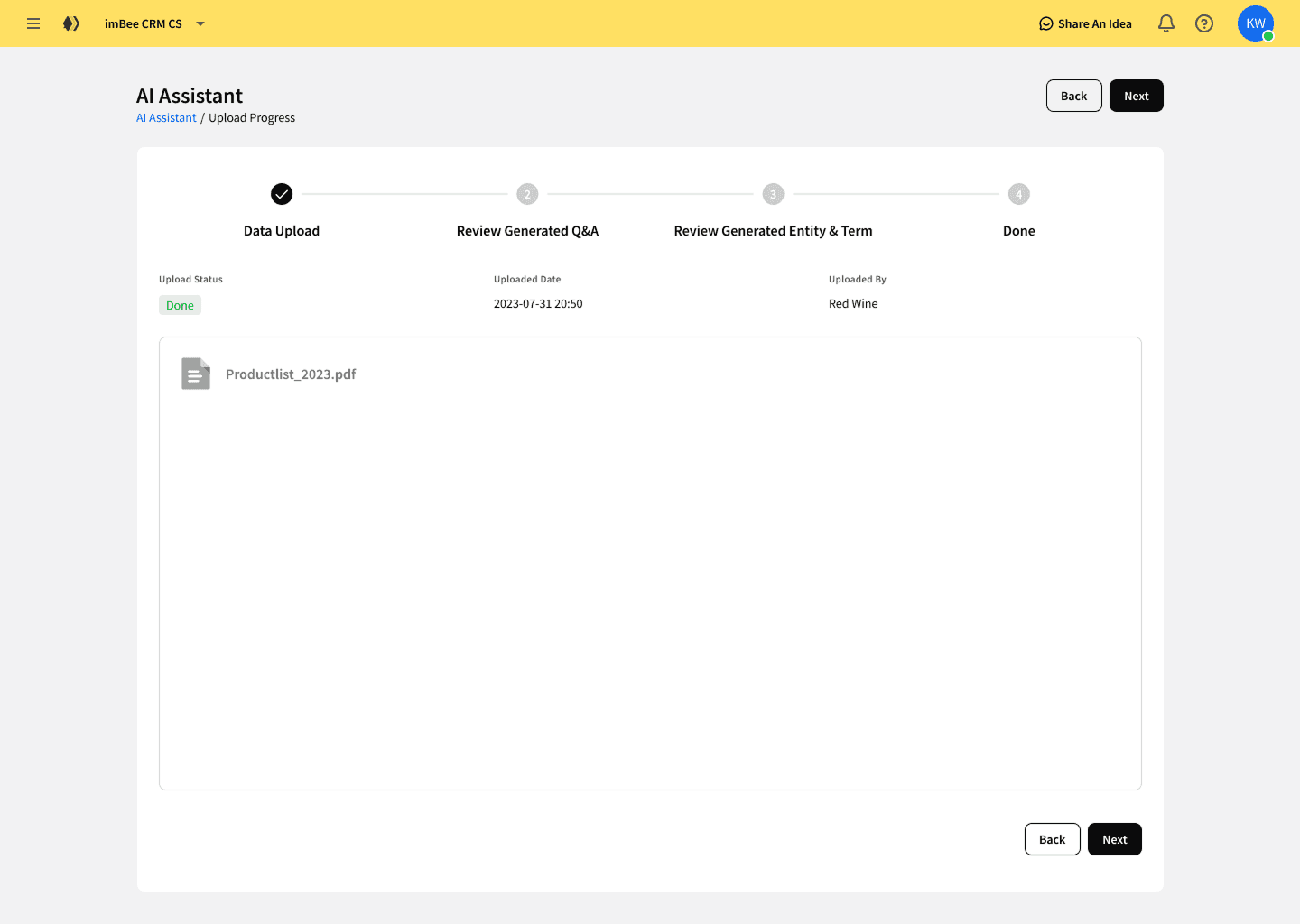
Added real-time progress indicators so users always understood system status
Relocated key actions to match familiar user mental models, reducing friction without introducing new interaction patterns
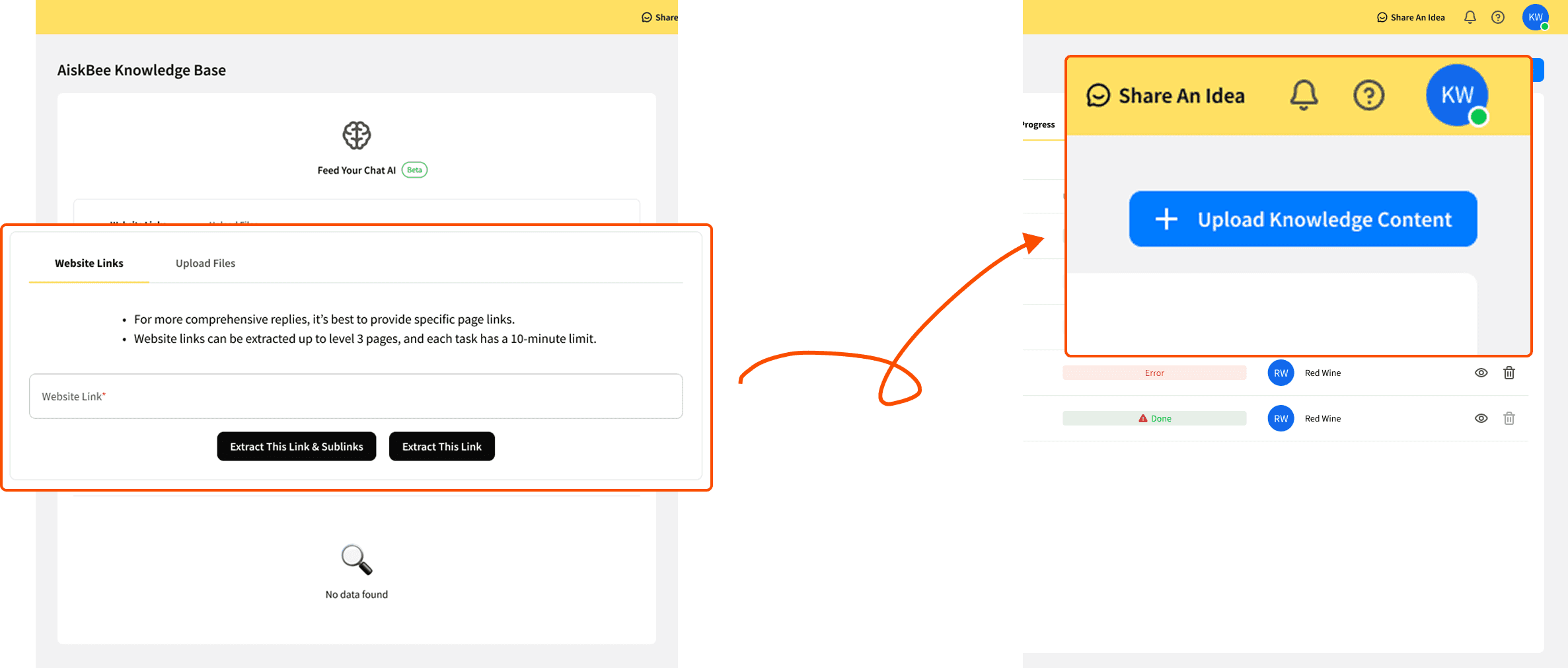
The focus was not visual novelty, but removing structural bottlenecks that prevented adoption.
Impact
The redesign immediately improved system adoption and usability.
+67% increase in daily uploads after removing upload bottlenecks
52% of first-time users successfully completed uploads
Significantly reduced abandonment at the first interaction
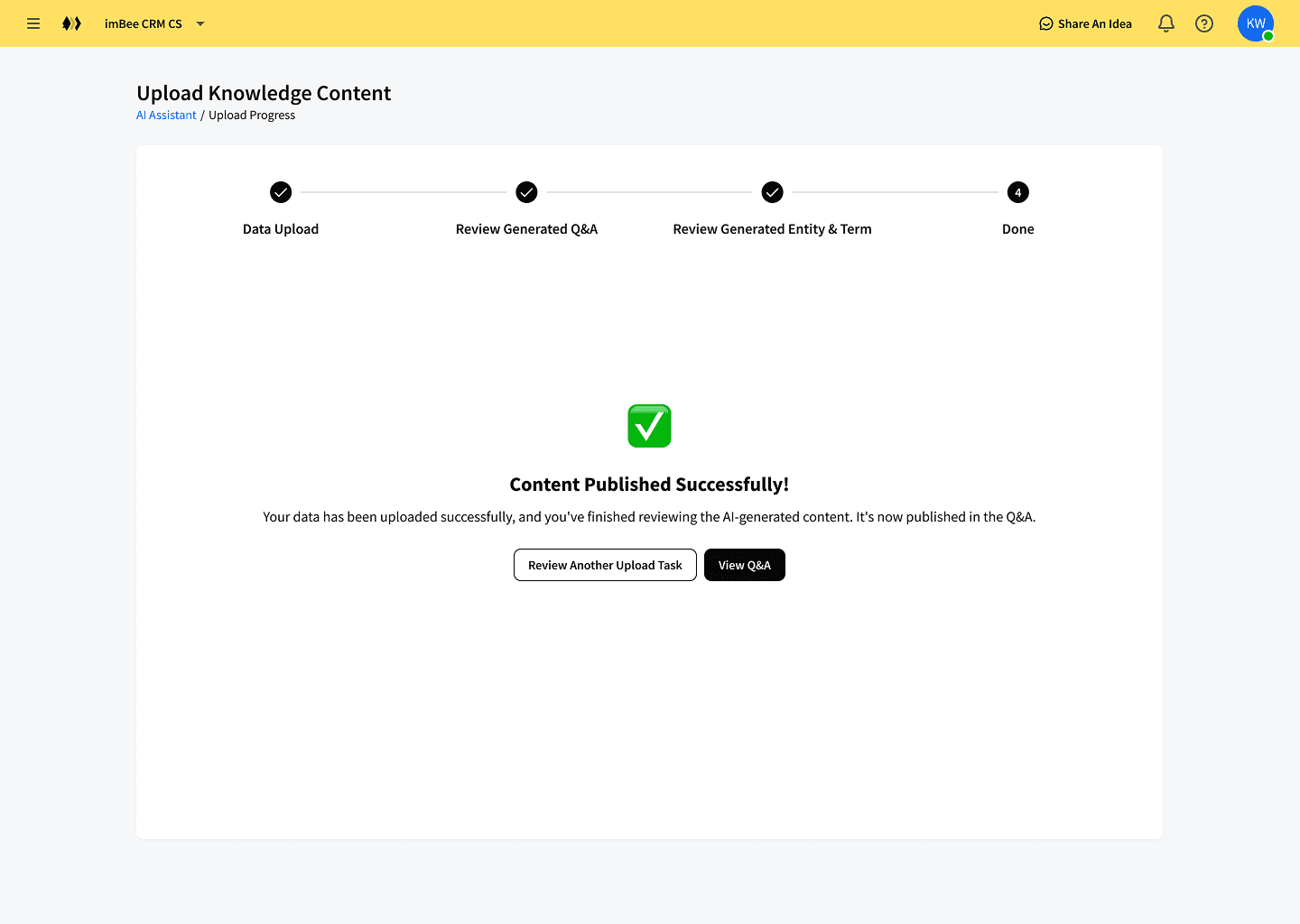
By fixing the content pipeline, the AI Assistant became usable at scale and ready for future AI-driven features. This work validated that solving core UX infrastructure issues was essential before any AI experience could succeed.
Continue Reading
Interested in collaborating?
You’re probably looking for someone who can help make sense of complex product ideas.
That’s usually where I come in!
I like to break things down, explore a few directions quickly, and help teams move forward with clarity.
If this sounds like what you need, I’d love to chat :)
/Email me
guocianyu@gmail.com